
Work Orders
Keep Repairs Moving Alongside Your Route
Track repairs and one-time jobs from assignment to completion. Keep the customer, technician, job details, and invoice connected as the work moves forward.


Trusted by customers around the world
Trusted By



As Featured On



Work Orders
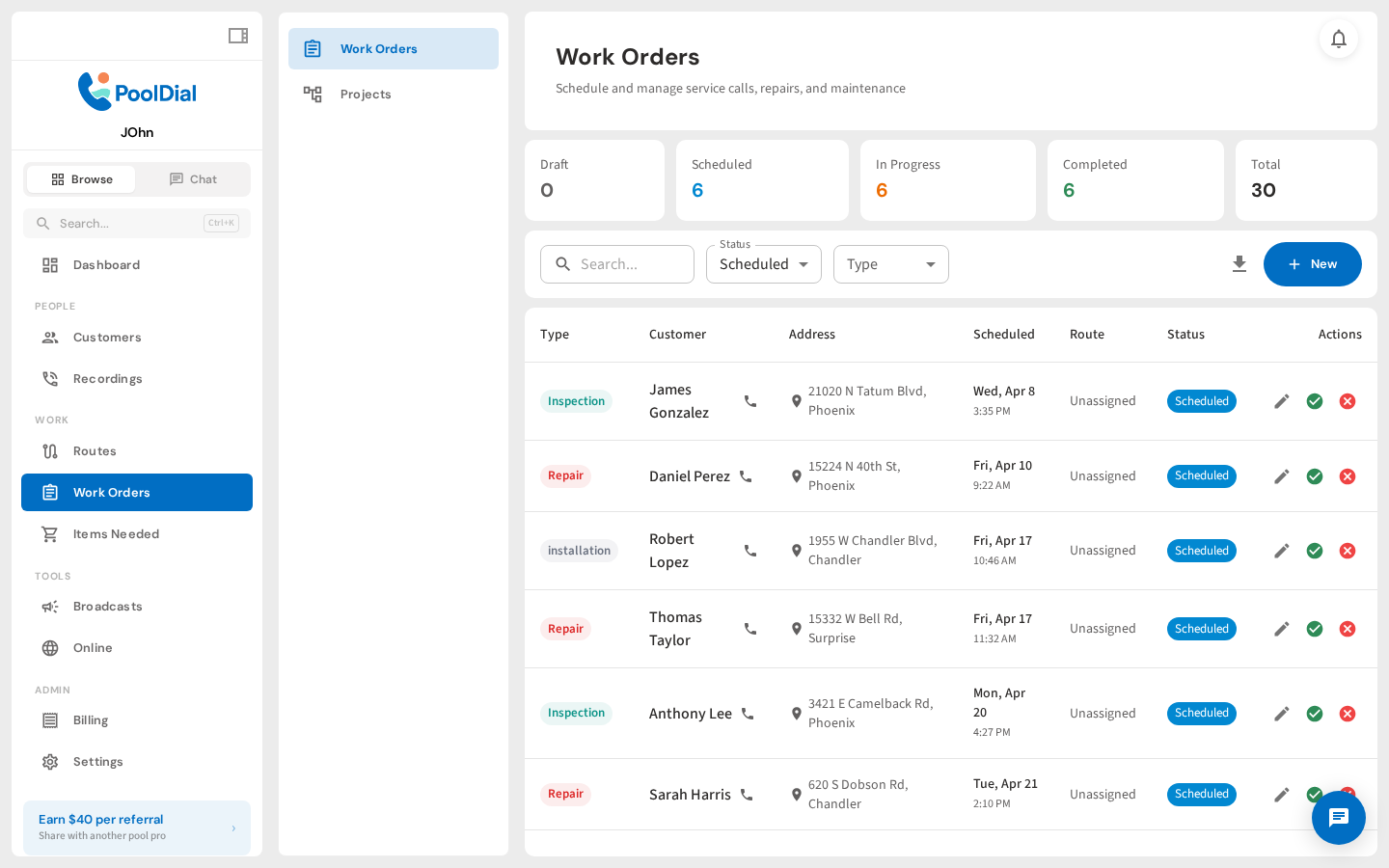
Every repair, install, and one-off job in one place, organized by status so you always know where things stand. Scheduled, in progress, completed. It's all right here.
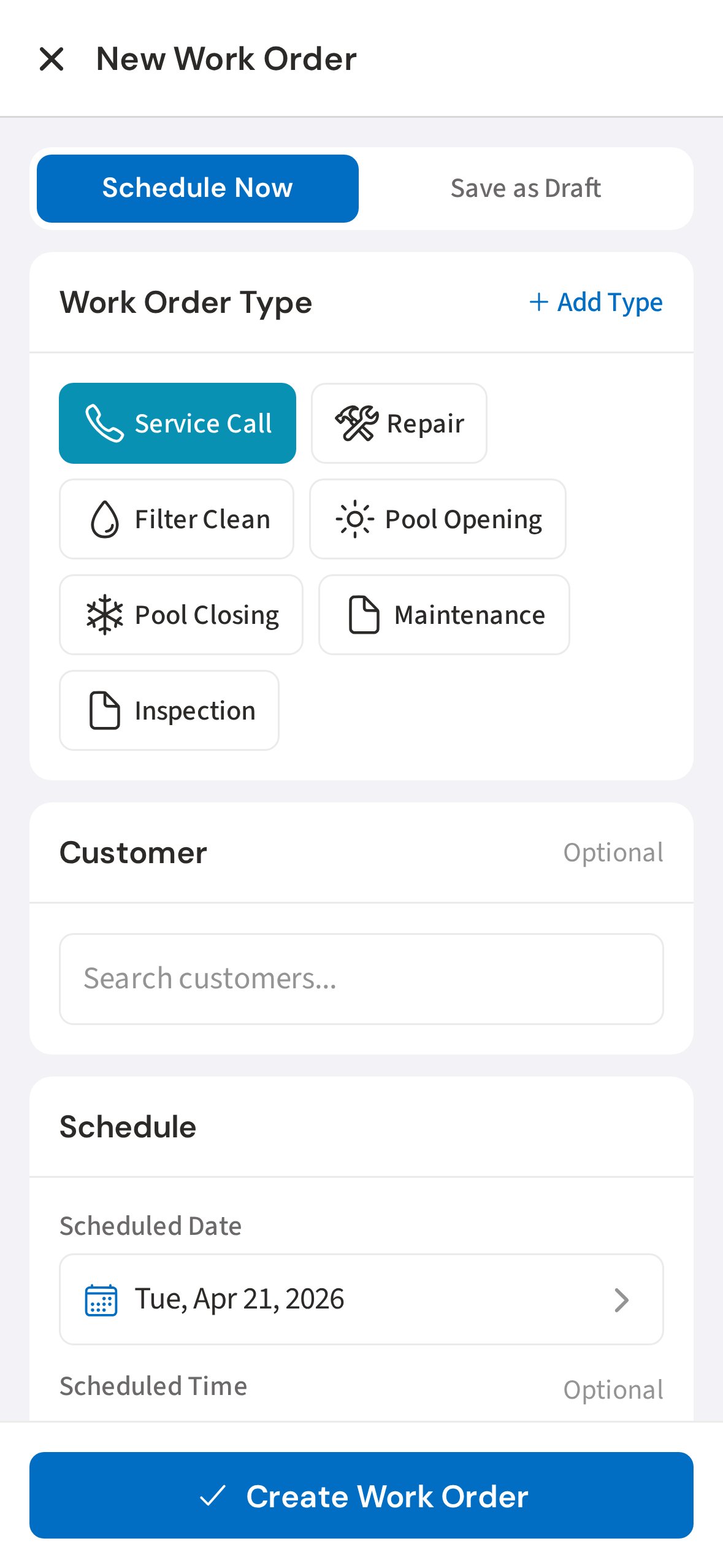
Create on Mobile
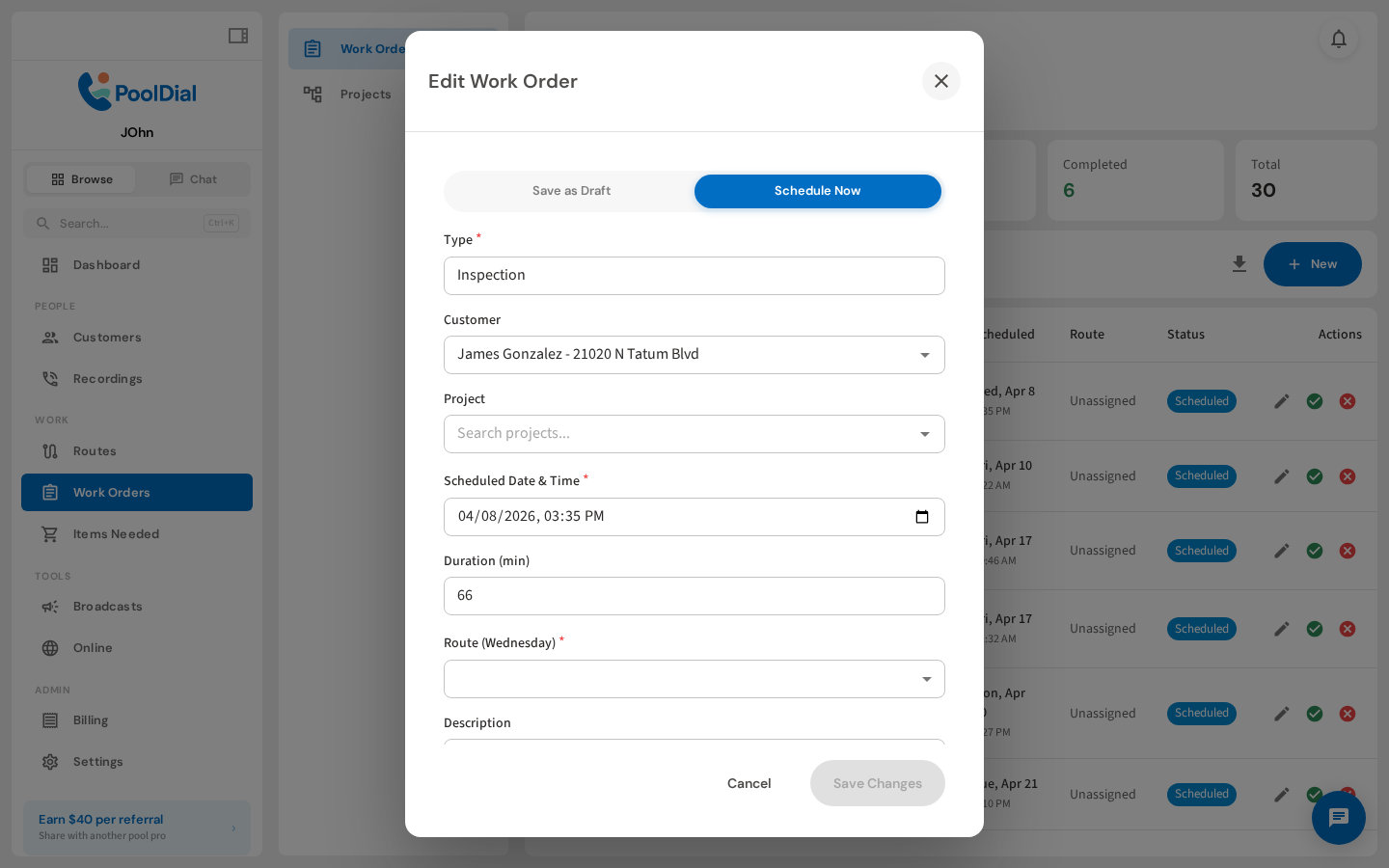
Create a new work order right from the truck. Pick the job type, assign a customer, and schedule it in seconds. No need to wait until you're back at the office.
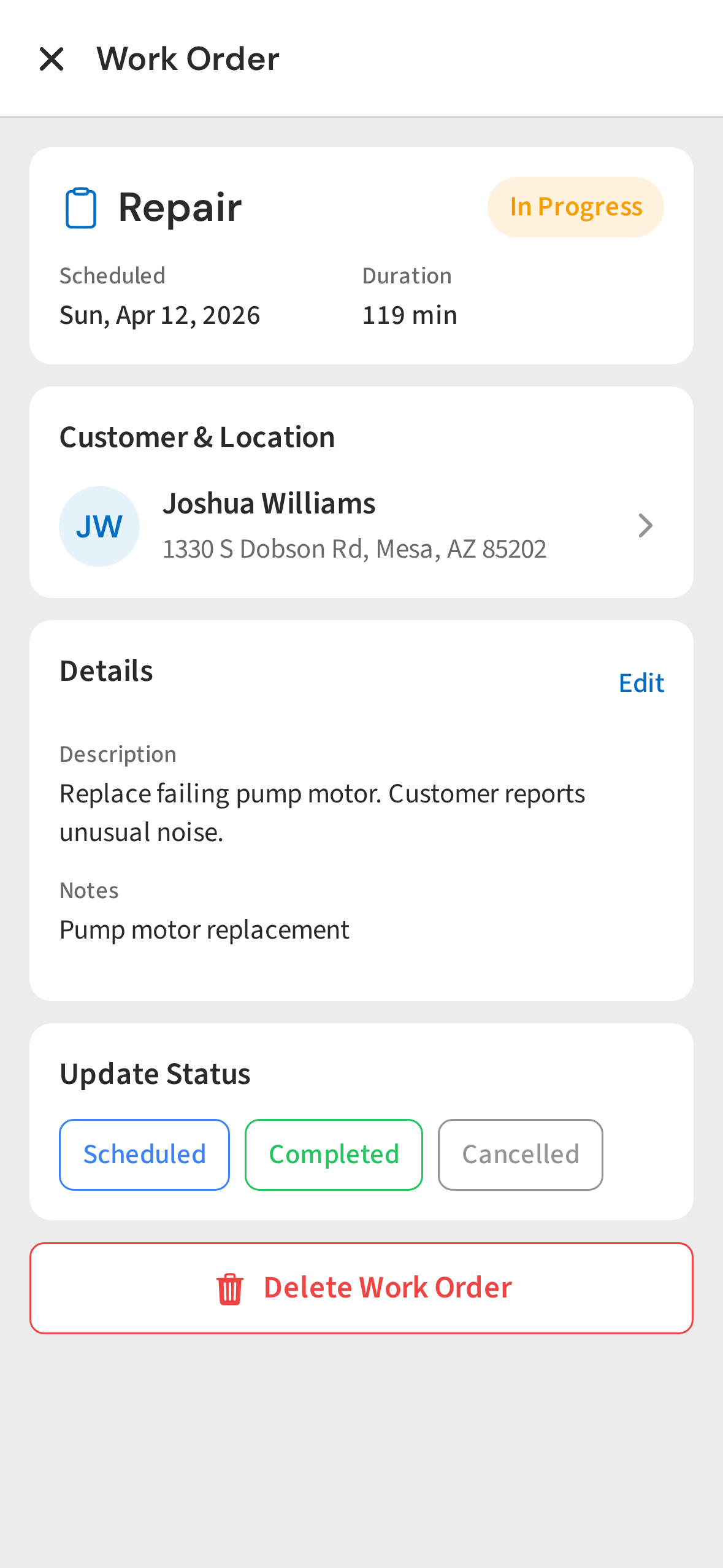
Job Details
On site, your tech has the full picture: what needs to be done, where to go, and any special instructions. No confusion, no missed steps.
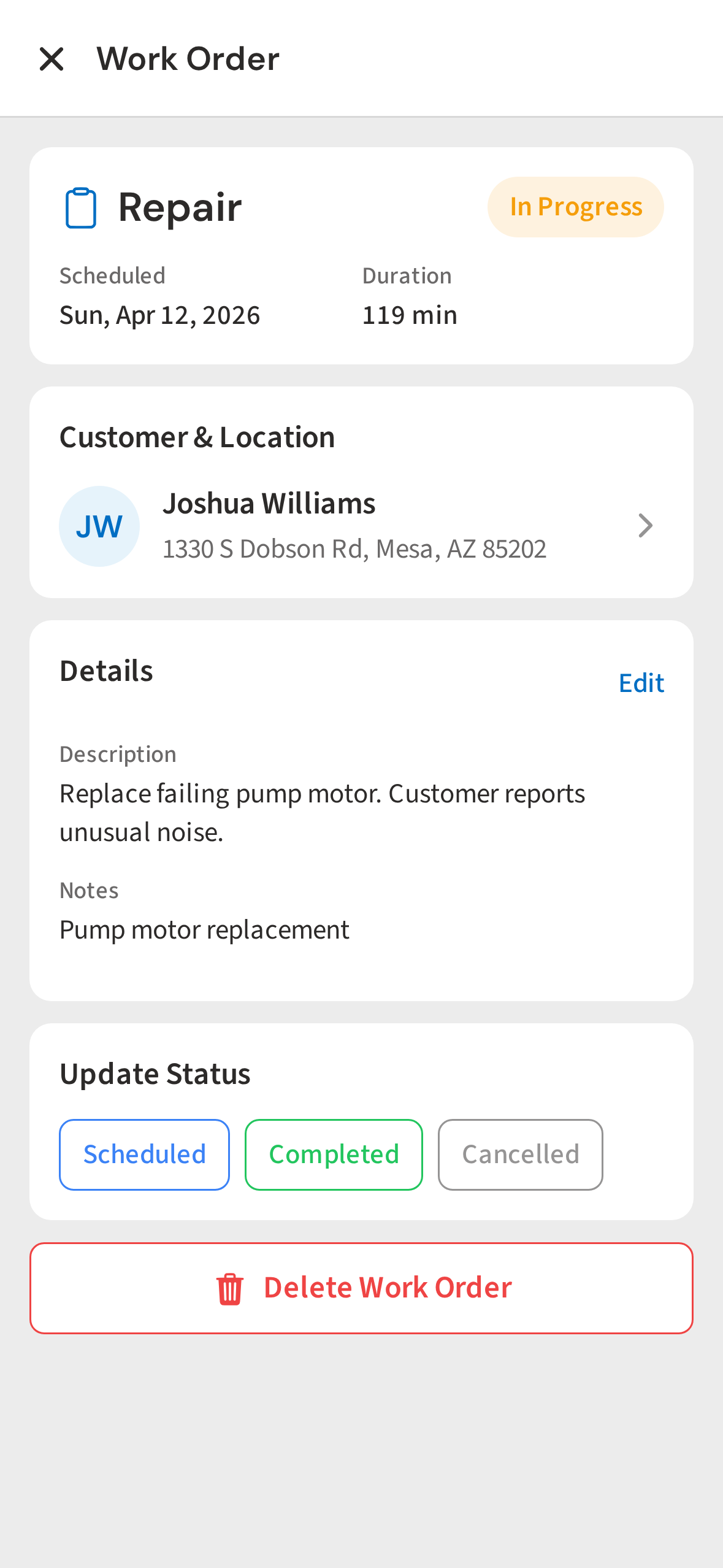
Update Status
When the job's done, update the status with one tap. No paperwork, no guesswork. The office sees the update in real time.
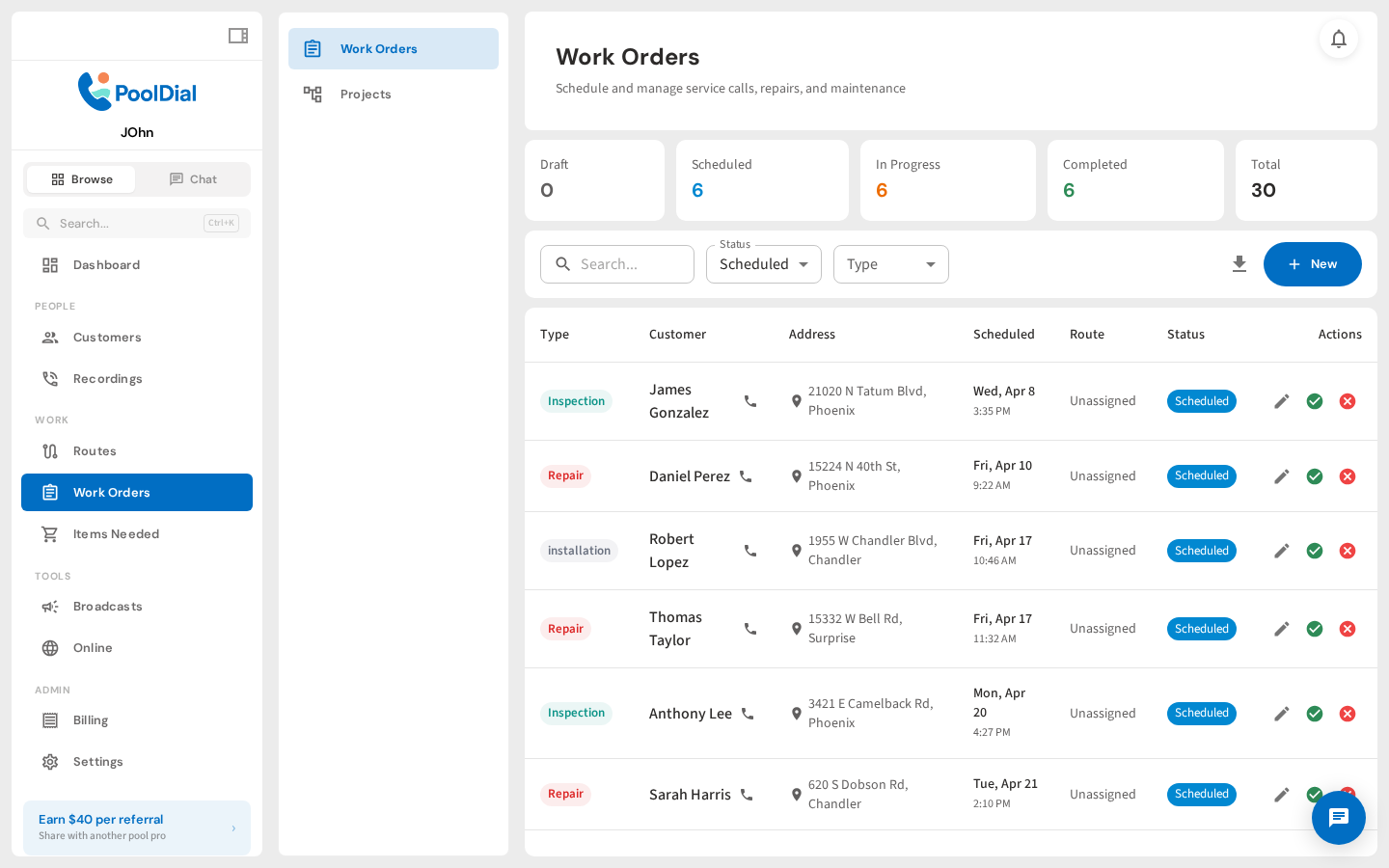
Filter by Status
Back in the office, filter by scheduled, in progress, or completed. You always know where things stand. Click any job to see the full details.
Job Detail
Open any job for the full picture: who's assigned, what was done, and when. One click turns it into an invoice. No re-entering line items or hunting for prices.
See It In Action
Track work orders from creation to completion to invoice
From your first customer to your first crew
Keep the Next Repair on Track
Start a free trial and explore your workflow. Book a demo if you’d like to walk through it with us.