
Pool Equipment Warranty Tracking: Never Miss a Claim


A customer calls you because their pool heater stopped working. You drive out, run a diagnostic, and find a bad heat exchanger. You quote $1,200 for the part and labor. The customer says yes. You order the part, install it, and collect payment.
Three weeks later you find the old receipt in their file. The heater was installed 14 months ago. The manufacturer warranty covers the heat exchanger for 2 years. That $1,200 repair should have been free. Now you have to tell your customer they paid for something they did not need to pay for. That is an awkward phone call.
This happens more often than most pool pros want to admit. Warranty information gets lost in filing cabinets, buried in email threads, or never recorded at all. Every missed warranty claim costs your customer money and costs you trust. The fix is simple: track warranty details for every piece of equipment you install or service, and check warranty status before you order parts.
Key Takeaways
- Record warranty details at install time. Purchase date, install date, warranty length, serial number, and proof of purchase.
- Check warranty status before ordering parts. A 30-second check can save your customer hundreds or thousands of dollars.
- Know typical warranty periods. Pumps run 1 to 3 years, heaters 1 to 2 years, salt cells 3 to 5 years, and filter tanks often carry a lifetime warranty.
- Set up expiration alerts. Get notified before a warranty runs out so you can address known issues in time.
- Store everything digitally. PoolDial keeps warranty data on each equipment profile so your whole team can access it in the field.
Why Warranty Tracking Matters in PoolDial
Pool equipment is expensive. A variable speed pump costs $800 to $1,500. A gas heater runs $2,000 to $4,000 installed. A salt chlorine generator cell is $400 to $900. When something breaks inside the warranty window, the manufacturer will cover the part and sometimes the labor. But only if you can prove the purchase date, the install date, and that the equipment was properly maintained.
Most pool service companies do not track this well. The install receipt goes into a folder. The folder goes into a filing cabinet. Two years later, nobody remembers which folder it was in. Or worse, the receipt was an email attachment that got deleted during an inbox cleanup.
When you track warranty details in a system like PoolDial's equipment tracking, every technician on your team can pull up a customer's equipment profile on their phone and see exactly when the pump was installed, what the serial number is, and whether the warranty is still active. No phone calls back to the office. No digging through filing cabinets. Just open the app, check the warranty, and make the right call on the spot.
This matters for three reasons. First, it saves your customers real money. A warranty claim on a failed heat exchanger can save $800 to $1,200. Second, it builds trust. When you tell a customer "good news, this is still under warranty" instead of handing them a repair bill, they remember that. Third, it makes you look professional. Knowing the serial number, install date, and warranty status of every piece of equipment at a property shows your customer that you run a tight operation.
What Warranty Info to Record in PoolDial
Every piece of equipment you install or take over should have these details in its profile. This is the bare minimum. If you record nothing else, record these five things:
- Purchase date. This is the date the equipment was bought, not the date it was installed. Some manufacturers start the warranty clock at purchase. Others start it at install. You need both dates to be safe. If you are taking over service for a customer and the equipment was already installed, ask them for the purchase receipt or check the manufacturer's warranty registration system.
- Install date. The date the equipment was physically installed and started running. For most manufacturers, this is when the warranty begins. If the customer cannot remember the exact date, get as close as you can. Even "sometime in March 2024" is better than nothing. You can often find the install date on the permit if one was pulled.
- Warranty length. How long does the manufacturer cover this equipment? This varies a lot by type and brand. Pentair pumps might have a 3-year warranty while a generic pump has 1 year. Heaters from Raypak often carry a 2-year parts warranty and a separate heat exchanger warranty that can be longer. Always check the specific model's warranty documentation.
- Serial number. Every piece of pool equipment has a serial number on a label or stamped into the housing. You need this for any warranty claim. Write it down when you install the equipment and again when you take over a new customer. Serial numbers fade in the sun and peel off over time. If you record it early, you have it forever. Take a photo of the label too.
- Proof of purchase. This is the receipt, invoice, or order confirmation showing when the equipment was bought and from which distributor. Most manufacturers require this for warranty claims. Save it as a photo or PDF attached to the equipment profile. If the customer bought the equipment themselves, ask them to send you a copy of the receipt. If you bought it from a distributor like SCP or Pinch A Penny, save your distributor invoice.
Beyond these five, there are a few more details that help when filing a claim:
- Model number. Different models of the same brand can have different warranty terms.
- Distributor or retailer. Where the equipment was purchased from. Some manufacturers route claims through the original seller.
- Warranty registration confirmation. Many manufacturers let you register the product online after install for extended warranty coverage. If you registered it, save that confirmation number or email.
- Maintenance records. Some warranties require proof that the equipment was properly maintained. If you are logging service history in PoolDial, you already have this covered.
Common Warranty Periods by Equipment Type in PoolDial
Warranty terms vary by manufacturer and model, but there are general ranges that hold true across the industry. Knowing these helps you set realistic expectations for customers and catch warranty opportunities before they expire.
| Equipment Type | Typical Warranty | Notes |
|---|---|---|
| Variable Speed Pump | 2 to 3 years | Pentair offers 3 years on IntelliFlo. Some off-brand pumps are only 1 year. |
| Single Speed Pump | 1 to 2 years | Shorter warranties because these are lower-cost units. Hayward Super Pump is 1 year. |
| Gas Heater | 1 to 2 years (parts), up to 5 years (heat exchanger) | Heat exchangers often have a longer warranty than other parts. Raypak covers the heat exchanger for up to 5 years on some models. |
| Heat Pump | 2 to 5 years (parts), up to 10 years (compressor) | Compressors often have extended coverage. AquaCal offers up to a 7-year compressor warranty. |
| Salt Chlorine Generator (Cell) | 3 to 5 years | Pentair IntelliChlor cell is 3 years. Hayward AquaRite is 3 years. CompuPool is up to 5 years on some models. |
| Salt Chlorine Generator (Control Box) | 3 to 5 years | Usually matches the cell warranty. Some brands cover the control box longer. |
| DE or Cartridge Filter (Tank) | Lifetime (on tank) | Pentair and Hayward both offer lifetime warranties on the filter tank itself. Internal parts like grids, cartridges, and manifolds are not covered. |
| Sand Filter (Tank) | Lifetime (on tank) | Same as DE and cartridge. The tank body is warranted for life. The multiport valve and internal laterals are not. |
| Automation System | 2 to 3 years | Pentair IntelliCenter and Hayward OmniLogic both carry 3-year warranties. |
| Pool Cleaner (Robotic) | 1 to 3 years | Dolphin cleaners are typically 2 years. Polaris robotic models are 2 years. Budget models may be only 1 year. |
| Pool Light (LED) | 1 to 3 years | LED pool lights vary widely. Pentair IntelliBrite is 3 years. Generic LED lights may be only 1 year. |
| Booster Pump | 1 to 2 years | Polaris PB4-60 is 1 year. Pentair booster pumps are 1 year. |
Keep in mind that these are general ranges. Always check the actual warranty card or manufacturer website for the specific model you installed. Warranty terms can also change year to year as manufacturers update their policies.
One important note: most manufacturer warranties only cover defects in materials and workmanship. They do not cover damage from improper installation, lack of maintenance, power surges, or flooding. This is why keeping service history records matters. If a manufacturer asks "was this equipment properly maintained?" you need to be able to say yes and show the records.
How to Check Warranty Status Before Ordering Parts with PoolDial
This should be a habit for every technician on your team. Before you quote a repair and before you order a part, check the warranty. It takes 30 seconds and can save hundreds of dollars.
Here is the process:
- Open the customer profile. In PoolDial's customer management, go to the property and find the equipment list. Each piece of equipment has its own profile with all the warranty details your team entered.
- Check the warranty dates. Look at the install date and the warranty length. If the equipment was installed on June 15, 2024 and the warranty is 2 years, it is covered until June 15, 2026. If today is April 2026, you are still in the window.
- Look at the serial number. You will need this to file the claim. If it is in the equipment profile, great. If not, check the equipment label in the field. If the label has faded, this is exactly why you should record it at install time.
- Check the proof of purchase. Is the receipt or invoice attached to the equipment profile? If not, you will need to track it down before filing the claim.
- Contact the manufacturer or distributor. Call the manufacturer's warranty department or your distributor rep. Give them the serial number, purchase date, and description of the failure. They will walk you through the claim process. Many manufacturers now have online warranty portals where you can submit claims digitally.
The most important step is making this a standard part of your repair process. It should not be something you think about only when a customer asks. It should be automatic. Technician arrives, diagnoses the problem, checks warranty status, and then decides whether to quote the customer or file a claim.
If you have a team, make this part of your training. Every new hire should learn: before you quote a repair, check the warranty. If you use work orders in PoolDial, you can even add a "warranty checked" step to your repair workflow so nothing falls through the cracks.
How Warranty Claims Build Trust with PoolDial Customers
Think about it from the customer's side. Their pool heater breaks. They are expecting a big bill. You show up, diagnose the issue, pull up the equipment profile on your phone, and say: "Good news. This heater was installed 16 months ago and it has a 2-year warranty. The heat exchanger is covered. I will file the claim with the manufacturer and get the replacement part shipped. You will not pay anything for the part."
That is a moment your customer will remember. They will tell their neighbors. They will leave you a five-star review. They will never think about switching to another pool company.
Now compare that to the alternative. You quote $1,200. The customer pays. Later they find out it should have been covered. Maybe they figure it out on their own. Maybe a friend mentions it. Either way, they feel like you either did not know or did not care. That is how you lose a customer forever.
Warranty tracking is not just about saving money. It is about positioning yourself as the expert who looks out for the customer. It is the difference between being a vendor and being a trusted advisor.
Here are some real situations where warranty tracking pays off:
- A pump motor burns out at 18 months. The customer bought a Pentair IntelliFlo with a 3-year warranty. You file the claim, get a replacement motor shipped for free, and only charge labor. The customer saves $600 on the motor.
- A salt cell stops producing chlorine at 2.5 years. The cell has a 3-year warranty. Instead of selling a new $500 cell, you get a warranty replacement. The customer saves $500 and stays loyal.
- A heater control board fails at 11 months. The heater has a 1-year warranty that expires next month. You catch it just in time. The manufacturer covers the $350 control board. If you had waited even a few weeks, the customer would have been out of luck.
- A robotic pool cleaner stops moving at 14 months. The Dolphin cleaner has a 2-year warranty. You contact the manufacturer, they send a prepaid shipping label, and the customer gets a refurbished replacement. No cost to anyone.
Every one of these situations builds trust and loyalty. And every one of them requires that you had the warranty information recorded and accessible when you needed it.
Setting Up Warranty Expiration Alerts in PoolDial
Knowing warranty information is only useful if you act on it before the warranty expires. This is where alerts come in. You want to be notified when a warranty is about to expire so you can take action on any known issues before it is too late.
Here is a practical approach to warranty alerts:
- Set a 90-day alert. Three months before a warranty expires, you should get a notification. This gives you time to inspect the equipment, identify any issues, and file a claim if needed. If the pump has been making a strange noise but still runs, now is the time to address it while it is still covered.
- Set a 30-day alert. One month before expiration is your last chance. If there is an issue you have been putting off, this is the deadline. After this, the customer pays out of pocket.
- Review during routine service. When you are at a property for weekly service, glance at the equipment profile. If you see a warranty expiring soon, do a quick visual and auditory inspection. Listen for unusual sounds from the pump. Check the heater for error codes. Look at the salt cell for buildup or low output. Catching a problem now saves the customer money later.
PoolDial lets you store warranty details on each equipment profile, so your team can see exactly when coverage ends. When you record the install date and warranty length, you always know where you stand. You can also add notes to a customer's profile to flag upcoming expirations that need attention during the next visit.
For companies with a lot of equipment to track, here is a quarterly routine that works well:
- Pull up all equipment with warranties expiring in the next 90 days.
- For each piece of equipment, check the service history. Are there any open issues or recurring problems?
- Schedule an inspection or a closer look during the next routine visit.
- If you find a problem, file the warranty claim right away. Do not wait.
- If the equipment is running fine, make a note that it was inspected and cleared before warranty expiration.
This routine takes 15 to 20 minutes per quarter for a company with 100 pools. That is a tiny investment compared to the thousands of dollars in warranty claims you might catch.
How PoolDial Stores Warranty Data on the Equipment Profile
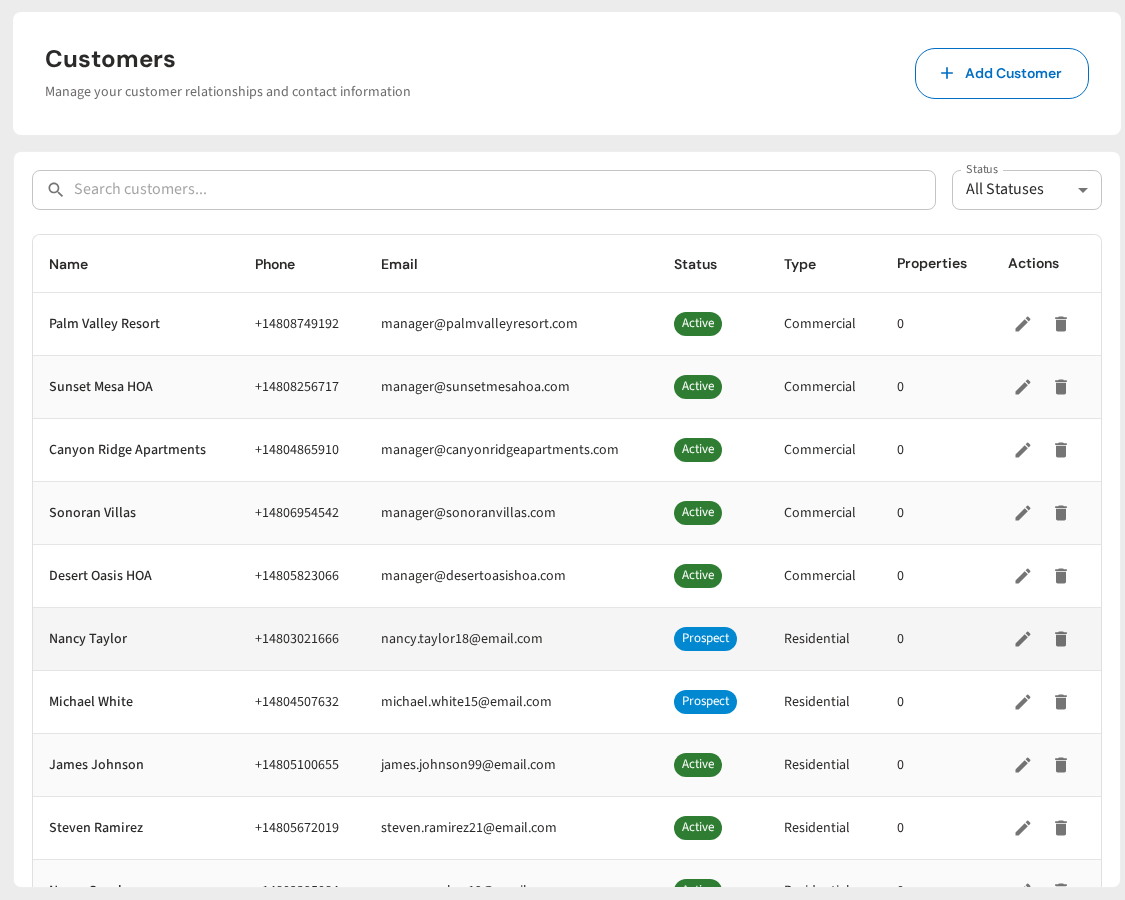
PoolDial's equipment tracking feature is built for exactly this kind of record-keeping. Every customer property can have multiple pieces of equipment, and each piece gets its own profile.
On the equipment profile, you can store:
- Equipment type and model. What it is, what brand, what model number.
- Serial number. Entered as text or captured from a photo.
- Install date. When it was put in. This is the warranty start date for most manufacturers.
- Purchase date. When it was bought, if different from the install date.
- Warranty length. How many months or years the manufacturer covers it.
- Photos and attachments. Upload the receipt, warranty card, serial number label photo, and any warranty registration confirmation.
- Service history. Every time you service, repair, or inspect this equipment, it goes on the record. This is your proof of proper maintenance if the manufacturer asks.
- Notes. Anything else that matters. "Customer purchased from Amazon, warranty registered online 6/15/2024, confirmation #WR-28491." Or "Manufacturer extended warranty to 5 years due to recall on early production models."
The best part is that this information is available to your whole team, in the field, on their phones. When a technician is at a property and finds a problem, they do not need to call the office to ask about warranty status. They open the customer profile in PoolDial, tap on the equipment, and see everything they need.
This also helps when you take over a new customer from another pool company. During the onboarding visit, walk the equipment pad, record every piece of equipment, photograph every serial number label, and ask the customer for any purchase receipts they have. It takes an extra 10 minutes on that first visit, but it pays for itself the first time you catch a warranty claim.
Common Warranty Mistakes Pool Pros Make with PoolDial
Even companies that try to track warranties make mistakes. Here are the most common ones and how to avoid them:
- Not recording the serial number at install. This is the number one mistake. You install a pump, finish the job, and move on. Six months later the pump fails and you need the serial number for the warranty claim. Now you have to drive back to the property just to read a label. Or worse, the label has faded in the sun and you cannot read it at all. Solution: record the serial number and take a photo of the label every time you install equipment. Do it before you leave the job site.
- Not saving the receipt. You buy a pump from your distributor, install it, and throw away the packing slip. The distributor invoice is somewhere in your accounting software but you cannot find it. Most manufacturers require proof of purchase for warranty claims. Solution: attach a photo or PDF of the receipt to the equipment profile in PoolDial as soon as you make the purchase.
- Not registering the warranty. Many manufacturers offer extended warranty coverage if you register the product within 30 or 60 days of installation. Pentair, for example, offers extended coverage through their warranty registration portal. If you skip this step, you might only get 1 year instead of 3. Solution: register the product online right after installation and save the confirmation.
- Assuming the warranty has expired. A customer tells you their heater is "old" and you assume the warranty is gone. But "old" to a homeowner might mean 18 months. They do not know what the warranty term is. You do. Always check the actual dates before assuming coverage has lapsed.
- Not checking warranty before quoting. You diagnose a problem, quote the repair, and the customer approves. Then you discover the warranty. Now you have already quoted a price and the customer expects to pay it. Or you have to walk back the quote, which feels unprofessional. Solution: always check warranty status between the diagnosis and the quote. Make it part of your standard repair process.
- Not tracking warranty on equipment you did not install. When you take over a new customer, you inherit their equipment. That equipment might still be under warranty from the previous installer. Ask the customer about purchase dates and receipts during onboarding. Many homeowners keep this information but nobody ever asks them for it.
Filing a Warranty Claim Step by Step with PoolDial
Once you have confirmed that a piece of equipment is still under warranty, here is how to file the claim. The process varies slightly by manufacturer, but the general steps are the same.
- Gather your documentation. You need the serial number, model number, purchase date (or install date), proof of purchase, and a description of the failure. If you have been tracking this in PoolDial, everything is already in the equipment profile. Pull it up on your phone and you are ready.
- Contact the manufacturer or distributor. Some manufacturers handle warranty claims directly. Others route them through the distributor you purchased from. Check the warranty documentation to find out. For major brands like Pentair, Hayward, and Jandy, you can often start a claim online through their dealer portals. For smaller brands, you may need to call.
- Describe the failure. Be specific. "The pump motor hums but does not spin" is better than "the pump does not work." Include any error codes if the equipment has a digital display. If you took photos or videos of the failure, include those. The more detail you provide, the faster the claim gets approved.
- Follow the manufacturer's process. Some manufacturers will ship a replacement part to you directly. Others will ask you to return the failed part first. Some require a manufacturer-authorized technician to verify the failure before approving the claim. Know the process for each brand you work with so you can set customer expectations.
- Track the claim in a work order. Create a work order for the warranty repair. Note the claim number, the expected ship date for the replacement part, and any follow-up steps. This keeps the customer informed and makes sure nothing falls through the cracks.
- Install the replacement and update the record. When the warranty part arrives, install it and update the equipment profile. Note the date of the warranty replacement, the new part's serial number (if applicable), and any updated warranty terms. Some manufacturers provide a new warranty on the replacement part.
One more tip: build relationships with your distributor reps. A good rep can expedite warranty claims, get you advance replacements so the customer is not without a pump for two weeks, and sometimes get claims approved that might otherwise be borderline. This is one of those areas where relationships matter.
See It in Action: PoolDial Equipment Tracking
PoolDial makes warranty tracking simple. Every piece of equipment gets a profile with serial numbers, install dates, warranty details, and attached receipts. Your whole team can access it in the field. When something breaks, check the warranty in seconds. File the claim with all the documentation at your fingertips. Never miss a warranty claim again.
Beyond warranties, PoolDial's equipment tracking gives you a complete history of every piece of equipment at every property. You can see when it was installed, every time it was serviced, what parts were replaced, and when it is due for its next maintenance. This is the kind of record-keeping that separates a professional operation from a guy with a truck. For more on how to use equipment tracking, check out our guides on tracking pool equipment by customer, equipment service history, and replacement scheduling.
Track Every Warranty. Catch Every Claim.
PoolDial stores serial numbers, install dates, warranty details, and receipts on every equipment profile. Your team can check warranty status from the field in seconds. Plans start at $2/pool.
Start Your Free Trial